Lightsaber Maintenance: Cleaning, Checks and a Schedule
Lightsaber maintenance is mostly a wipe and a check: clean the blade with water or mild soap, keep solvents and ammonia off polycarbonate and anodised metal, snug the retention screw without forcing it, and store the cell part charged in a cool, dry place. Inspect blade, tip, pins and screws after every duel, and do a fuller check monthly and every six months.
Short answer
Lightsaber maintenance is mostly a wipe and a check: clean the blade with water or mild soap, keep solvents and ammonia off polycarbonate and anodised metal, snug the retention screw without forcing it, and store the cell part charged in a cool, dry place. Inspect blade, tip, pins and screws after every duel, and do a fuller check monthly and every six months.
On this page10 sections
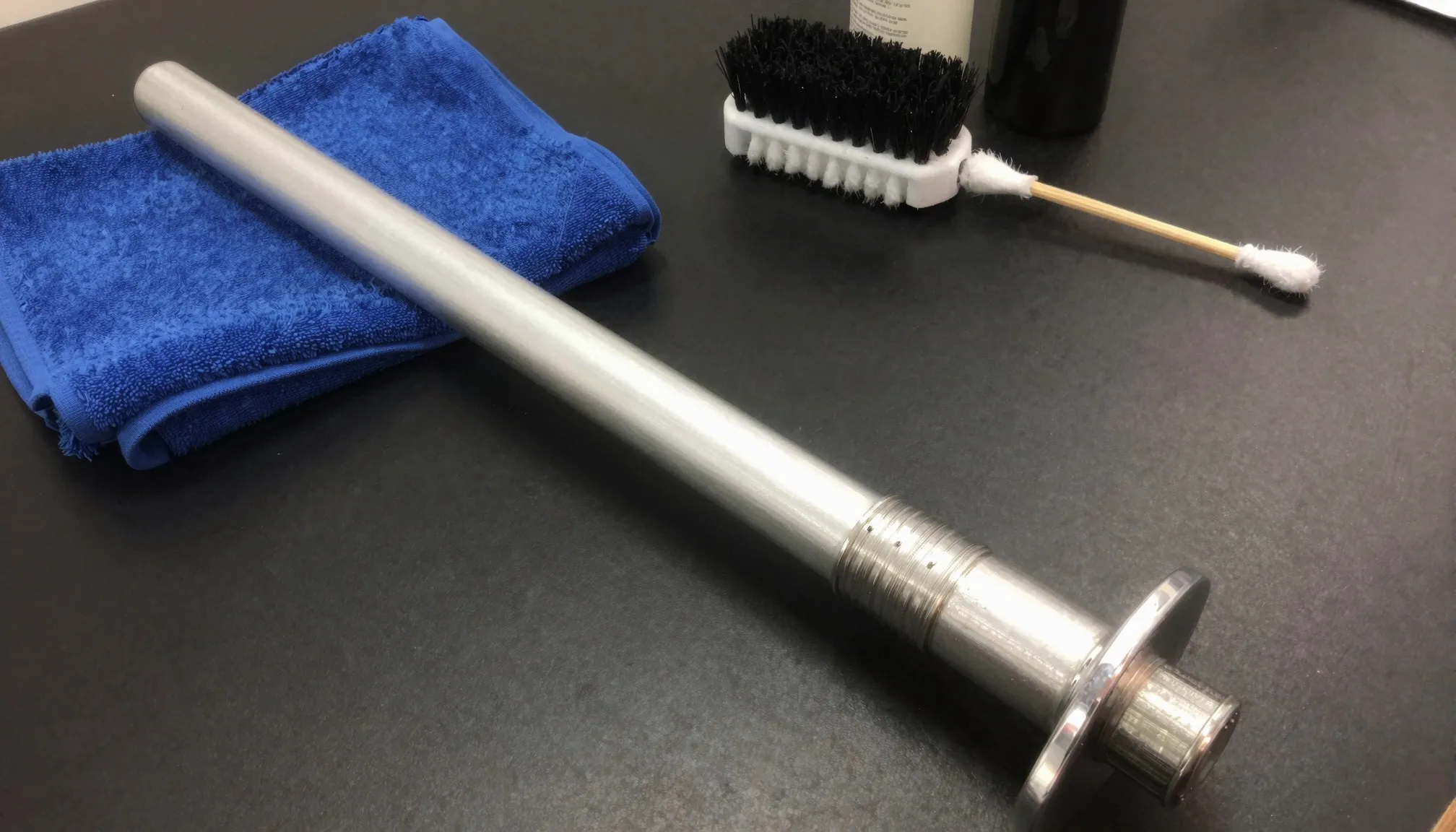
Lightsaber maintenance takes a few minutes. Wipe the blade with a soft cloth and water or a mild soap, keep ammonia, acetone and strong solvents off the polycarbonate, and clean a metal hilt with a damp cloth rather than polish. Check that the blade retention screw is snug but not forced, keep the emitter pins clean, and store the saber with the cell part charged in a cool, dry room [1][2][3][5]. Inspect the blade, tip and screws after every duel.
This page covers routine care. If something already does not work, go to lightsaber troubleshooting and repair. For cell types and charging limits, see lightsaber batteries. We summarise maker and material guidance here. We have not run long term tests of cleaners on sabers ourselves.
Cleaning the blade
Most saber blades are polycarbonate tubes. Polycarbonate is tough but has a soft surface and reacts badly to some household cleaners.
What the material guidance says works: the cleaning recommendations for Lexan polycarbonate sheet suggest mild soap and lukewarm water with a soft cloth or sponge, then a rinse with clean water and a dry with a soft cloth to avoid water spots [1]. Ultrasabers gives the same advice for its blades: a soft cloth with a mild, non-abrasive cleaner or plain water [2].
What to keep off it:
- Acetone, benzene, petrol and similar solvents. The Lexan guidance says never to use them, and warns about crazing from harsh solvents [1].
- Abrasive or highly alkaline cleaners, brushes and steel wool [1].
- Ammonia glass cleaners. A polycarbonate sheet seller lists products with ammonia among its unsafe cleaners [4].
Alcohol is the grey area. One saber maker’s guide suggests wiping with alcohol [6], while the same polycarbonate seller lists isopropanol as unsafe [4], and the Lexan guidance says not to use alcohols on the UV protected surface of some Lexan sheet products [1]. Water and mild soap do the job, so we would skip alcohol on blades.
For light scuffs, Ultrasabers suggests gently buffing with a melamine sponge [2], and the Lexan guidance says a mild automobile polish can reduce minor scratches if you test it on a small area first [1]. Deep cracks and a loose tip are a different matter. See lightsaber replacement blades.
Cleaning the hilt
Most metal hilts are anodised aluminium. The anodised layer is hard but thin, and it is the colour you see.
A finisher’s FAQ on anodised aluminium says to use a gentle soap, to avoid harsh acid or alkaline cleaners because they can destroy the finish, to use solvents with care because they can stain, and to test a small area first [7]. NovaSaber gives the saber version: a clean, soft, lint free cloth, no abrasive pads or aggressive cleaners, and no liquid near switches, the charge port or the speaker holes [3].
Skip metal polish on anodised, painted or weathered hilts. It is mildly abrasive and can take the finish off. Our storage and display guide covers hilt finishes and blade scratches in more detail. Superneox suggests compressed air and cotton swabs to lift grit out of grooves before you wipe [6].
Screws and blade retention
The blade sits in the emitter and a retention screw holds it. Loose screws let the blade wobble, which can flicker a neopixel blade or let it slip out mid swing. Tight screws crack blades and strip threads.
- Push the blade straight in and check it is fully seated before you tighten [3].
- Tighten the retention screw until the blade is secure, then stop. NovaSaber and Superneox both warn against overtightening [3][6].
- Check the other hilt screws are snug. Superneox lists this as a routine step [6].
- Use the hex key that came with the saber. Thread sizes vary by maker.
If a screw is stuck or stripped, the troubleshooting guide has a section on stuck screws and blade plugs.
Contacts and pins
On a neopixel saber the blade connects to the hilt through pins in the emitter and pads on the blade. NovaSaber says the blade must make proper contact with the emitter pins [3]. Superneox warns that twisting the blade a lot after you install it can damage the inner pins [6].
Look into the emitter with a torch now and then. Blow out dust and check that no pin is bent or pushed in. Superneox also says not to touch the board inside, and to discharge static by touching a metal object first if you must work near it [6]. The neopixel lightsaber page explains how the connector works.
Battery care and storage charge
Battery University recommends storing lithium-ion cells at about 40 percent charge and around 15°C. Its table shows a cell stored a year at 25°C keeps about 96 percent of its capacity at 40 percent charge, against 80 percent when stored full [5].
In practice:
- Unplug the charger when charging is done, and use the charger your maker specifies [3][6].
- Do not leave the cell deeply discharged for long periods [3].
- For a long break, Superneox suggests taking the battery out if your hilt allows it [6]. Many sealed hilts do not, so follow your manual.
- Top up a stored saber every few months so it never runs flat.
Charging steps are in how to charge a lightsaber.
After a duel
NovaSaber asks you to inspect the blade, tip, emitter connection and retention screws before dueling and after repeated contact [3]. After a session, check:
- The blade for cracks, not just scuffs. Scuffs are cosmetic.
- The tip for looseness.
- The retention screw, which works loose with impacts.
- On a neopixel blade, the light along the full length. A dark section after a hit points to a damaged strip.
- The hilt for dents near the emitter and the switch.
If you duel often, the best lightsaber for dueling guide covers which blades take contact.
Storage temperature and humidity
Keep sabers in a cool, dry room out of direct sun, hot cars and damp rooms [3]. Battery University’s 15°C figure is for the cell [5]. Ordinary room temperature is fine for the rest of the saber. Store blades straight and not under weight, and keep the hilt away from water and steam. Wall mounts, cases and travel rules are in the display, store and travel guide.
Maintenance schedule
The intervals below are our suggestion, built from the checks the makers list. No maker we read publishes a fixed schedule.
| When | Blade | Hilt and screws | Battery and electronics |
|---|---|---|---|
| After each use | Wipe with a soft cloth, check for cracks and a loose tip | Check the retention screw | Switch off, recharge if low, unplug when full |
| Monthly | Wash with mild soap and water, dry before refitting | Wipe with a damp cloth, check all screws | Look into the emitter for dust or bent pins, top up a stored saber |
| Every 6 months | Look for crazing or deep scratches, buff light scuffs | Clean grooves with air and swabs, check the switch | Check the cell for swelling and runtime loss, back up the SD card |
Sources
- Lexan sheet cleaning recommendations (copy hosted by Lowe’s), https://pdf.lowes.com/productdocuments/916b749a-709d-440d-a524-5fadda6acd98/64885544.pdf (accessed 2026-11-18)
- Ultrasabers, How to care for your custom lightsaber blade, https://ultrasabers.com/holocron/how-to-care-for-your-custom-lightsaber-blade/ (accessed 2026-11-18)
- NovaSaber, Lightsaber care and maintenance guide, https://novasaber.com/pages/novasaber-lightsaber-care-maintenance-guide (accessed 2026-11-18)
- Polycarbonate Store, How to clean polycarbonate sheets, https://www.polycarbonatestore.com/pages/how-to-clean-polycarbonate-sheets (accessed 2026-11-18)
- Battery University, BU-702 How to store batteries, https://batteryuniversity.com/article/bu-702-how-to-store-batteries (accessed 2026-11-18)
- Superneox, Lightsaber care and maintenance guide rev. 1.1, https://superneox.com/pages/lightsaber-care-and-maintenance-guide (accessed 2026-11-18)
- SAF (aluminium extrusion and finishing company), How do I clean anodized aluminum?, https://www.saf.com/faqs/how-do-i-clean-anodized-aluminum/ (accessed 2026-11-18)
FAQ
How do I clean a lightsaber blade?
Take it out, then wipe it with a soft cloth and water or mild soap, rinse, and dry it before refitting [1][2].
Can I use alcohol or Windex on a lightsaber blade?
Avoid ammonia cleaners such as many glass sprays [4]. Advice on alcohol is mixed, so stick to water and mild soap [4][6].
How tight should the retention screw be?
Snug enough that the blade does not move, and no tighter. Overtightening can crack the blade or strip the screw [3][6].
How should I store a lightsaber for months?
Part charged, around 40 percent, in a cool, dry place, and top it up every few months [5].
How often should I check my lightsaber?
Glance at the blade and screw after every use, clean it monthly and do a fuller check every six months. Dueling sabers need a look after each session [3].
What do I do if my lightsaber stops working?
Charge it, reseat the blade and check the SD card, then follow lightsaber troubleshooting and repair.
Editorial team
Writes for Saber Atlas. Every guide is checked against the maker's specs and dated, so you know how fresh it is.
Read next
Lightsaber Troubleshooting and Repair: Documented Fixes
Most lightsaber faults trace back to a low or badly seated battery, a bad or corrupt SD card, or a loose connector. This page collects the troubleshooting steps that board makers and vendors document for no power, no sound, flicker, charging, SD card and stuck screw problems, with a safety note on batteries and opening hilts.
Lightsaber Batteries: 18650 Cells, Charging, Runtime and Safety
Most lightsabers run on a rechargeable lithium-ion cell, usually the 18650 format (18 mm by 65 mm). Pixel blades drain it faster than baselit ones, with listings quoting 30 to 90 minutes versus 1 to 3 hours. Use the right charger, never charge unattended, and retire any cell that swells, leaks or overheats.
Lightsaber Wall Mounts, Cases, Air Travel and Care Guide
A horizontal wall mount is the simplest way to display a lightsaber. For travel, TSA lists a toy lightsaber as allowed in carry-on and checked bags, but the officer decides. Keep the saber in your carry-on, and treat the lithium cell by FAA rules. Store cells cool and part charged, and clean blades with a soft cloth.
How to Charge a Lightsaber: Time, Chargers and Lights
To charge a lightsaber, find out which of three systems it uses: a charging port in the hilt, a USB-C port on the battery core, or a removable cell in an external charger. Use the charger that fits the saber, expect roughly 4 to 5 hours on documented models, and stop when the light turns green.
Lightsaber Replacement Blades: Size, Fit and Plug Guide
A replacement lightsaber blade has to match the hilt's diameter (1 inch is the usual size, 7/8 inch the slimmer one), its lighting type (baselit or neopixel) and, on many brands, the maker's own socket. This guide shows how to check each, how a blade plug differs from a blade, how to fit one, and what listings charged as of November 2026.
Best Lightsaber for Dueling: Blade, Models and Protective Gear
For hard contact, pick a baselit saber with a thick-walled polycarbonate blade, 2 mm at least and 3 mm for heavy sparring. Pixel blades suit light contact and choreography. Below: vendor-listed duel-ready models with prices as of November 2026, what to check, and the gear to buy.
Lightsaber Warranty and Returns: What Makers Cover
Most lightsaber makers give a 1 year warranty on electronics, but return windows run from 3 to 90 days and several refund only in store credit. Opening the hilt, dueling damage and resale often void cover. Read the warranty and returns pages before you pay, photograph the box on arrival and report damage within days.
Neopixel Lightsaber: What It Is and Which One to Buy
A neopixel lightsaber has an LED strip inside the blade, so the glow is even from hilt to tip and the blade can animate. Entry models start around $180, mid-range around $250 to $400, Proffie sabers from about $400. Duelling needs a tougher blade.