How to Charge a Lightsaber: Time, Chargers and Lights
To charge a lightsaber, find out which of three systems it uses: a charging port in the hilt, a USB-C port on the battery core, or a removable cell in an external charger. Use the charger that fits the saber, expect roughly 4 to 5 hours on documented models, and stop when the light turns green.
Short answer
To charge a lightsaber, find out which of three systems it uses: a charging port in the hilt, a USB-C port on the battery core, or a removable cell in an external charger. Use the charger that fits the saber, expect roughly 4 to 5 hours on documented models, and stop when the light turns green.
On this page10 sections
How to charge a lightsaber depends on how the saber stores power. Most electronic sabers use a rechargeable lithium-ion cell, and you reach it in one of three ways: a charging port in the hilt, a USB-C port on a removable battery core, or a removable cell that goes in an external charger. Use only the charger made for your saber. Documented models take about 4 to 5 hours, and a green light usually means full [1][2].
This page is the step-by-step version. Cell types, protection circuits and runtime are covered in lightsaber batteries, and faults such as a charger that does nothing are in the charging problems section of the troubleshooting guide. Last checked: 7 November 2026.
Do lightsabers need charging
It depends on the saber. A lightsaber with a lit blade and sound is powered by a battery, and in the electronic hobby sabers covered here that battery is rechargeable and has to be charged [1][2].
- Hobby sabers with a charging port or USB-C core: yes, charge them. Runtime differs by blade type, so a pixel saber may need charging more often than a baselit one (see Xenopixel vs neopixel and lightsaber batteries).
- Removable-cell sabers: yes, but you charge the cell outside the hilt, or swap in a spare.
- Toy Force FX style sabers: often no. Hasbro’s page for one Force FX Elite model lists three AA alkaline batteries, not included, and mentions no charging at all [11]. Check the instructions for your exact model.
- Display-only replicas without electronics: nothing to charge.
If you are not sure what you own, look for a round socket or a small USB port on the hilt, then read types of lightsabers.
Find your charging method
| What you see | System | How you charge |
|---|---|---|
| Round socket on the hilt (a 2.1 mm port is common) [1][5] | Charging port, battery stays inside | Plug the supplied charger into the port |
| USB-C port on a battery core or board module [2][4] | USB-C charging | Slide out the core if needed, then use a USB-C cable and adapter |
| No port, a pommel or cap that unscrews to a cell holder | Removable 18650 or similar cell | Take the cell out and charge it in an external charger |
| Battery compartment for AA cells | Toy or non-rechargeable | Replace the batteries, no charging [11] |
Decision path:
- If the hilt has a round socket, use the port steps.
- If it has USB-C, use the same steps with a USB cable, and note the maker’s own cable advice.
- If the cell comes out, go to removable cells.
- If none of these fit, read the manual for that saber before plugging anything in.
Charge through a port
These steps follow vendor instructions for port and USB-C systems [1][2][3].
- Turn the saber off. Where there is a kill switch, set it to OFF before charging; one maker says to set it back to ON afterwards [2].
- Open the hilt only as far as the maker says. Some sabers need the pommel and main body unscrewed to reach the socket [3]. A Sabertrio core slides out after the pommel is unscrewed, and the maker adds dust caps for the contact pads and speaker [2].
- Plug in the supplied charger. One vendor accepts an equivalent charger with 4.2 V output and a maximum of 2 A [3]. A legacy smart charger from another maker is listed at 4.2 V and 1.0 A, and that maker strongly recommends using only that charger [2].
- Watch the light. Red means charging and green means full on these chargers [1][2][3].
- Unplug when it turns green, then reassemble. The Sabertrio guide asks you to unplug before reassembly [2].
If a hilt has a recharge socket, that socket often does a second job. The Crystal Focus manual describes using the port as the general power switch: a plastic kill key in the socket cuts power to the board, and a real charger plug connects only the battery to the charger [5].
Port sizes differ. Ultrasabers says recharge ports bought on or after 13 October 2013 use a 2.1 mm port, and older ones use 2.5 mm [1]. Match the plug to the socket, and match the charger voltage to the saber, not just the plug.
Charge a removable cell
For a saber with a removable cell, the cell leaves the hilt and goes into a separate charger.
- Switch the saber off and remove the cell using the maker’s steps.
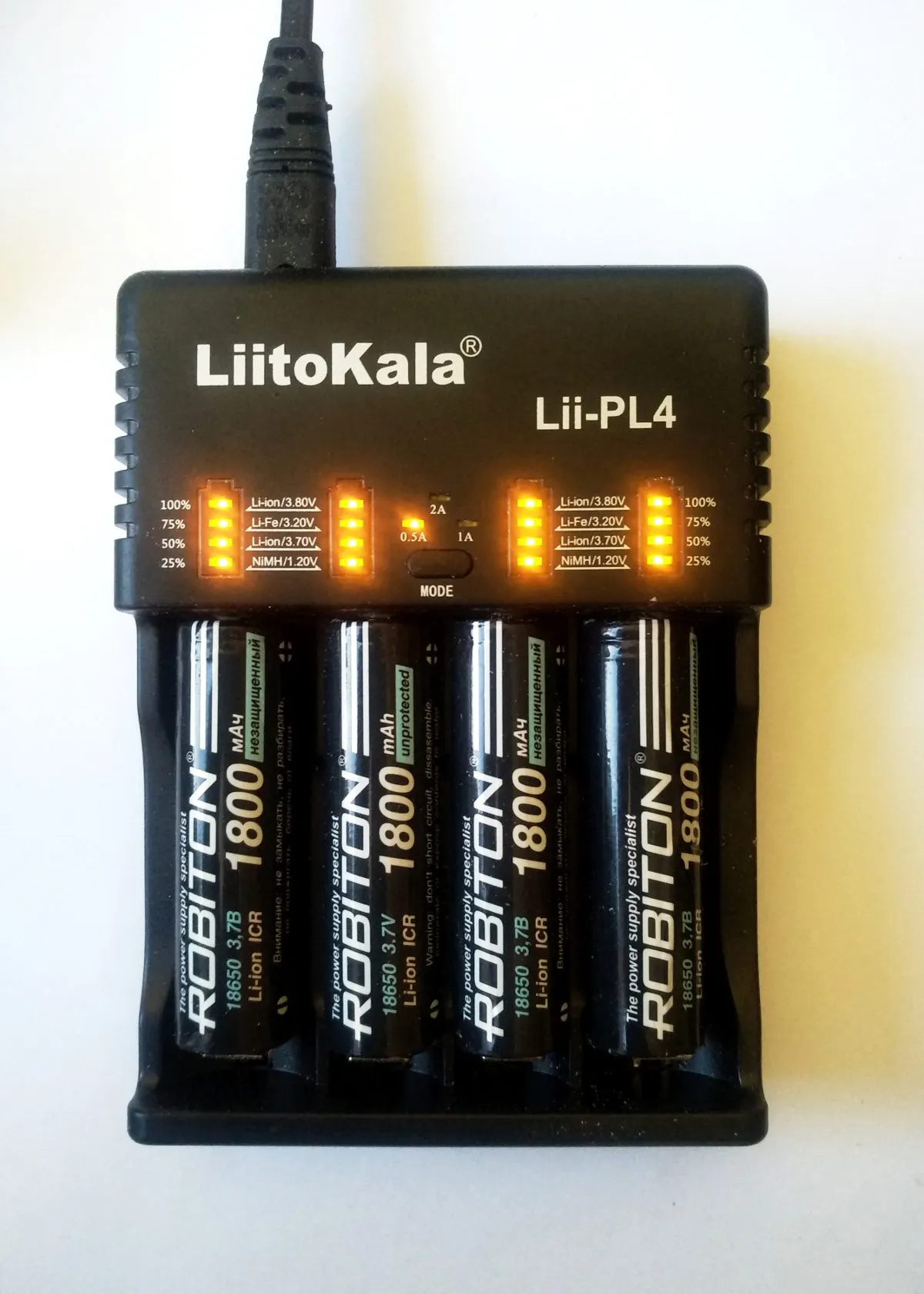
- Check the polarity marks on the charger. A charger guide for one popular model says that all indicators flashing together can mean the cell is inserted backwards or is defective [8].
- Use a charger that fits the cell size. Ultrasabers warns that chargers for 14500 cells will damage the electronics of sabers that use 18650 cells [1].
- Charge one cell at a time and unplug it once full [9].
- Take the cell out when the charger says it is full, and refit it with the same polarity.
Cell sizes and protection circuits are in lightsaber batteries. A cell that was left empty for a long time needs care: Battery University says a lithium-ion cell must not fall below 2 V for any length of time, and recharging such a cell may make it unstable [10].
Charge times
Published figures are thin, so the table lists only what makers state.
| System | Stated or derived time | Source |
|---|---|---|
| Sabertrio legacy smart charger | About 4 to 5 hours for a full charge | [2] |
| Ultrasabers 18650 charger (1.8 A) | “A few hours”, no exact figure | [1] |
| Ultrasabers 14500 slow charger (0.2 A) | A few hours, saber must be off | [1] |
| Golden Harvest v4 with Seedling v2 USB-C module | Charging at up to 2 A | [4] |
| Proffieboard USB port | Rated 450 mA | [6] |
The Proffieboard row needs arithmetic, not a vendor time. Time is capacity divided by current, so a 3000 mAh cell at a steady 0.45 A would need roughly 6.7 hours at best. That is an illustration, and real charging tapers near full, so expect longer.
So how long to charge a lightsaber? Four to five hours is the one documented figure for a port-and-charger setup [2]. A larger cell or a weaker adapter takes longer. A smart adapter does not make it instant: Sabertec says the Seedling v2 works with any wall adapter, whatever current it can supply, thanks to a smart charging algorithm [4].
Charger lights
| Light | Meaning, per the maker’s page | Source |
|---|---|---|
| Red | Charging, not full yet | [1][2][3] |
| Green | Fully charged | [1][2][3] |
| Side LED red on a USB-C power core | Charging | [2] |
| Irregular green and red blinking on one multi-bay charger | Adapter does not supply enough power (5 V, 2 A or more advised) | [8] |
| All indicators flashing together on that charger | Cell backwards or defective | [8] |
| Charging blip every 2 seconds on a Proffieboard status LED | Board is charging | [7] |
Colors are not a standard. A blinking charger means different things on different chargers, and the red and green pages above do not define blinking at all. For the blink on a charger you own, look up that charger’s own manual, then confirm with the lights-and-cable checks in the troubleshooting guide.
Two practical points:
- A charger that goes straight to green while the saber is still empty suggests nothing is being charged. Treat it as a possible fault, not as “full”, and see the troubleshooting guide.
- A charger blinking because of a weak adapter, as in the one documented case, may recover with a stronger 5 V, 2 A adapter and a good cable [8].
Charger for lightsaber
Many searches here name a shop and its charger. The rules are the same for any saber: the charger that shipped with the saber is the reference, and a different one is a risk until the maker says otherwise.
- Check the output on the charger label: voltage, current and plug size. One documented saber charger is rated 4.2 V and 1.0 A [2], and another vendor accepts 4.2 V and up to 2 A [3].
- Do not mix cell sizes. A 14500 charger can damage an 18650 saber [1].
- A universal multi-bay charger suits removable cells only. It does nothing for a saber with the cell wired in.
- If the original charger is lost, ask the maker for the exact part, not a look-alike.
This guide is independent. It does not sell chargers and it does not endorse a particular shop.
Broken port
A dead or loose charging port sends many readers here. Work through these in order.
- Try another cable and adapter. One documented case shows a weak adapter making a charger blink as if faulty [8].
- Clean the port. Lint inside a socket is a known cause, per the troubleshooting guide’s list of simple checks.
- Check the board manual. On Crystal Focus hilts the socket is also a power switch, and a damaged one can also cut power [5].
- Use the cell outside the hilt if it is removable. An external charger bypasses the port.
- Contact the maker if the port is soldered to the board. Replacing a port means opening the hilt and soldering, which is a repair, not a charge. See install electronics in a hilt for the work involved.
Do not wire the cell straight to a bench supply as a shortcut. A deeply drained cell can be unstable on recharge [10].
Sources
- Ultrasabers, FAQ, https://ultrasabers.com/faq/ (accessed 2026-11-07)
- Sabertrio, User Guide, Recharging, https://sabertrio.com/pages/recharging (accessed 2026-11-07)
- Saber Project, Instructions for lightsabers with the Crystal Focus Saber Core 10, https://shop.saberproject.de/en/pages/instructions-for-lightsabers-crystal-focus-saber-core-10-cfx (accessed 2026-11-07)
- Sabertec, Golden Harvest v4 manual, https://sabertec.net/wp-content/uploads/2024/11/Golden-Harvest-v4-Manual.pdf (accessed 2026-11-07)
- Plecter Labs, Crystal Focus Saber Core V10 manual, https://www.plecterlabs.com/Media/Doc/Crystal%20Focus%20v10%20rev1.01-GB.pdf (accessed 2026-11-07)
- Proffieboard V3 page, Fredrik Hubinette, https://fredrik.hubbe.net/lightsaber/v6/ (accessed 2026-11-07)
- ProffieOS Documentation, Deciphering the status LED, https://pod.hubbe.net/troubleshooting/status-led.html (accessed 2026-11-07)
- Lumentac, Knowledge: Nitecore CI2 and CI4 charger, https://lumentac.freshdesk.com/support/solutions/articles/5000877892-knowledge-nitecore-ci2-ci4- (accessed 2026-11-07)
- City of Melbourne (FL) Fire Department, Lithium-ion battery safety tips, https://www.melbourneflorida.org/Government/Departments/Fire-Department/Fire-Prevention-Office/Fire-Prevention-Safety-Tips/Lithium-ion-Battery-Safety-Tips (accessed 2026-11-07)
- Battery University, BU-304a Safety Concerns with Li-ion, https://batteryuniversity.com/article/bu-304a-safety-concerns-with-li-ion (accessed 2026-11-07)
- Hasbro, Force FX Elite lightsaber instructions page, https://instructions.hasbro.com/en-us/instruction/star-wars-the-black-series-darth-vader-force-fx-elite-lightsaber-collectible-with-advanced-led-and-sound-effects (accessed 2026-11-07)
FAQ
Can I leave a lightsaber charging overnight?
Fire-safety guidance says to unplug once the device is full and not to keep charging after that [9]. So plan to unplug at green rather than leaving it on.
Can I charge a lightsaber with a phone charger?
Only with a USB-C system that the maker allows. Sabertec says its Seedling v2 module works with any wall adapter [4]. Barrel-port sabers need their own charger and voltage [1][3].
Why does my charger blink?
There is no universal answer. On one multi-bay charger, irregular blinking meant the adapter was too weak [8]. Read that charger’s manual.
Do I take the battery out to charge?
Only on removable-cell sabers. Port and USB-C sabers charge with the cell in the hilt [1][2].
Why is my saber not charging?
Start with the cable, adapter, a clean port and the right charger, then see the troubleshooting guide.
Can I charge a lightsaber stored on a wall mount?
It depends on whether the port is reachable. See display, store and travel for storage advice.
Editorial team
Writes for Saber Forge Forum. Every guide is checked against the maker's specs and dated, so you know how fresh it is.
Read next
Lightsaber Batteries: 18650 Cells, Charging, Runtime and Safety
Most lightsabers run on a rechargeable lithium-ion cell, usually the 18650 format (18 mm by 65 mm). Pixel blades drain it faster than baselit ones, with listings quoting 30 to 90 minutes versus 1 to 3 hours. Use the right charger, never charge unattended, and retire any cell that swells, leaks or overheats.
Lightsaber Troubleshooting and Repair: Documented Fixes
Most lightsaber faults trace back to a low or badly seated battery, a bad or corrupt SD card, or a loose connector. This page collects the troubleshooting steps that board makers and vendors document for no power, no sound, flicker, charging, SD card and stuck screw problems, with a safety note on batteries and opening hilts.
Xenopixel vs Neopixel: What the Difference Is and Which to Buy
Xenopixel is not a rival to neopixel. Neopixel is the blade type, a strip of individually addressable LEDs. Xenopixel is a ready-made board that drives that strip. The real choice is Xenopixel versus Proffieboard, Golden Harvest v4 or CFX. Xenopixel is cheaper and simpler, Proffie is more customisable.