Tri Cree vs Quad LED for a Lightsaber
A tri Cree LED puts three separate LED dies on one heat-sinking star, and a quad puts four. Both light a baselit saber from the hilt. Quad gives more mixing options and more light for the same lens, and also needs more current, cooling and care. Pixel blades have replaced both for most new builds.
Short answer
A tri Cree LED puts three separate LED dies on one heat-sinking star, and a quad puts four. Both light a baselit saber from the hilt. Quad gives more mixing options and more light for the same lens, and also needs more current, cooling and care. Pixel blades have replaced both for most new builds.
On this page10 sections
A tri Cree LED is a star board with three separate LED dies, wired so each can be driven on its own. A quad has four. In a baselit saber the board sits in the hilt and shines up a hollow blade [16]. Quad can mix more colours and give more light from one lens, but it needs more current, cooling and a proper current limit. For new builds, pixel blades have mostly replaced both [16].
Last checked: 2026-11-07.
What tri Cree and quad mean
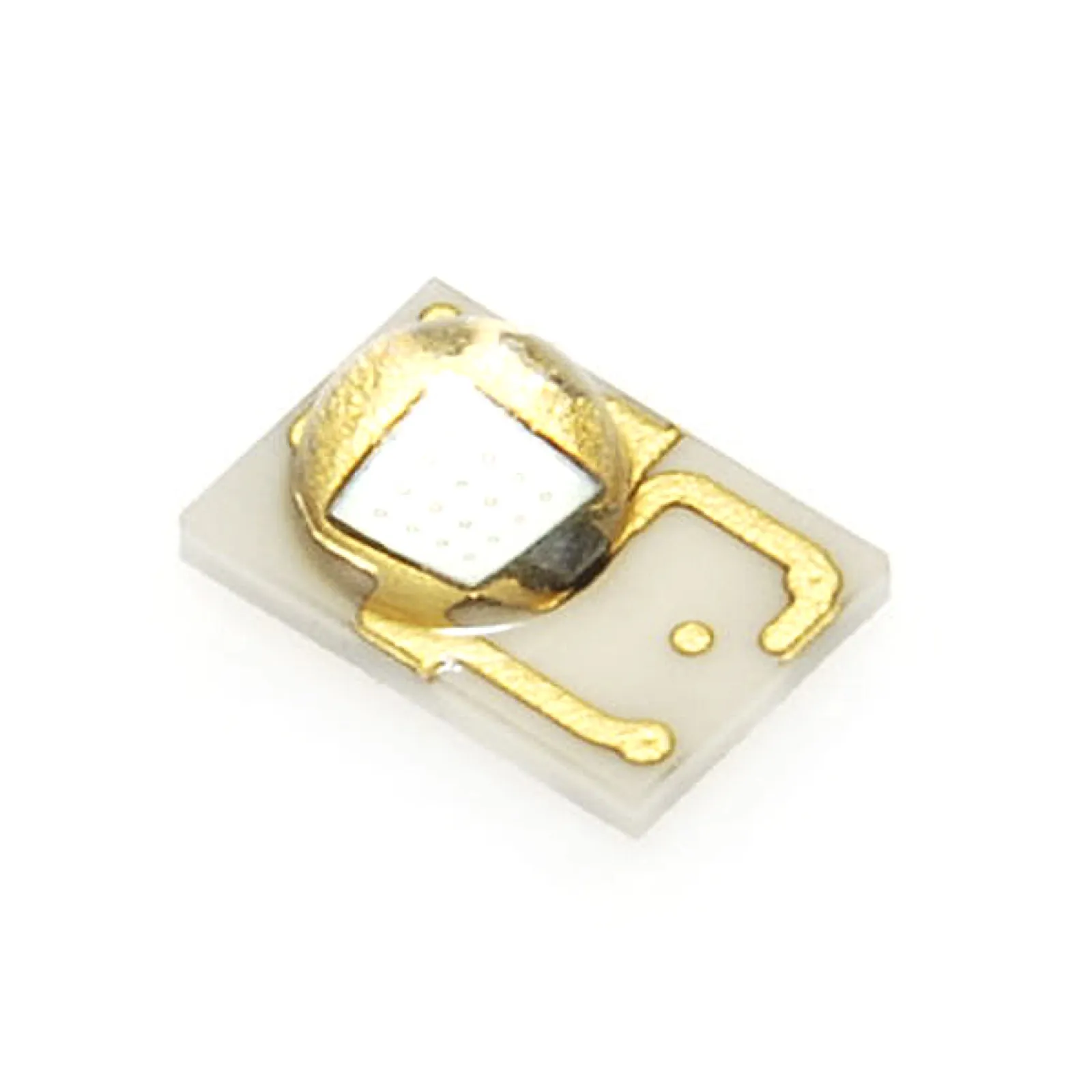
“Cree” is the company that made the LED dies, not a type of LED. The datasheets used here are the XLamp XP-E2 and XP-G3 parts [1][2]. “Tri” means three dies on one board, often called a Cree star LED when it sits on a round metal star. The colours depend on the build: one shop sells a tri with two red dies and one white die [6].
A quad has four. There are two kinds. One is four dies in a single package that drive as separate channels, as the RGBW star in the Proffie documentation shows [9]. The other is four separate LEDs on a board. The Luxeon Saber Z5 module is four LUXEON Z LEDs wired in series on a 20 mm board [3].
Plecter Labs lists tri-Cree on every board in its comparison table, and quad-Cree and quad-Rebel only on the Crystal Focus v9 and v10 [5]. Quad looks like the later, higher-end option (our inference).
Tri vs quad at a glance
| Point | Tri | Quad |
|---|---|---|
| Dies | Three, driven on separate channels [4][6] | Four, either separate channels or in series [3][9] |
| Typical use | Red, green, blue, or a custom mix [6] | RGB plus white, or four of one colour [3][9] |
| Board support (Plecter) | All listed boards [5] | Crystal Focus v9 and v10 [5] |
| Light from the same lens | Fewer dies, so less light at the same current (our inference) | Maker claims up to 4 times one Rebel from the same emitting area [3] |
| Driver | A resistor per die on direct drive boards [4] | Series quad needs a current regulating driver [3] |
| Heat | Less than quad at the same current (our inference) | More heat on one board, so a bigger sink [3] |
A Luxeon note matters here. A series quad adds the forward voltages of its four LEDs, so one li-ion cell may not drive it without a regulator (our inference from the series wiring [3]).
Builders in a 2018 thread argued that four emitters under one lens ran hotter and less efficient than three with good optics [16]. That is community opinion, not a measured result.
Datasheet numbers
The tables below come from Cree’s own datasheets, not from shop listings.
| Part and colour | Max DC current | Forward voltage at 1000 mA | Thermal resistance (junction to solder point) |
|---|---|---|---|
| XP-E2 red | 1500 mA | 2.44 V | 2.5 °C/W |
| XP-E2 green | 1500 mA | 3.01 V | 9 °C/W |
| XP-E2 blue | 1200 mA | 3.14 V | 5.7 °C/W |
| XP-E2 white | 1500 mA | 3.12 V (at 85 °C) | 5.8 °C/W |
| XP-G3 royal blue | 2000 mA | 2.99 V | 0.9 °C/W |
| XP-G3 white | 2000 mA | 2.87 V (at 85 °C) | 1.1 °C/W |
XP-E2 and XP-G3 figures are from [1] and [2]. The maximum junction temperature on both is 150 °C [1][2]. The XP-G3 datasheet allows more current and lists a lower thermal resistance [1][2]. A shop that sells it claims about 35 percent more light than the XP-E2 at 1 A and about 160 percent more at 2 A. Treat that as a vendor claim [7].
So the answer to “best Cree LED” and “brightest Cree LED” is not one part. Brightness depends on colour, current and cooling. The XP-G3 has more headroom on paper, and your battery and sink set the real limit [2][7].
Forward voltage, wattage and resistors
On a direct drive board, a resistor sets the maximum current for each die. Plecter’s formula is resistor equals supply voltage minus LED voltage, divided by current [4]. Wattage is the voltage drop times the current [4]. The board maker advises a resistor on each die, and says excessive current can trip the battery protection or could fry your LED [4].
Take a datasheet blue XP-E2 at 1 A from a 3.7 V cell [1][4]:
- Resistor: (3.7 minus 3.14) divided by 1 A is 0.56 ohm.
- Resistor power: 0.56 V times 1 A is 0.56 W, so a 1 W part gives margin.
- Red at 2.44 V: 1.26 ohm and 1.26 W.
Each colour needs a different value. One board’s guide lists 1 ohm for red, none for green and 0.24 ohm for blue on an XP-E2 RGB LED [15]. Datasheet voltage is a ballpark. Plecter and the Proffie documentation both tell you to measure the voltage across your own LED [4][9].
Cells sit above their nominal voltage when charged. A li-ion cell is nominally 3.7 V and charges higher, up to about 4.2 V for common NMC cells [12]. With the 0.56 ohm resistor above, the plain arithmetic gives (4.2 minus 3.14) divided by 0.56, about 1.9 A. That is over the 1.2 A limit on the blue XP-E2 datasheet [1]. The real figure is lower, because voltage rises with current and cells sag under load, but the margin is gone. Proffie boards can reduce PWM to compensate for a higher input voltage [9].
The install electronics page covers the resistor fitting step by step, and wiring and LED swaps covers repairs.
Heat sinks
A bare star in a hilt gets no airflow. Take the XP-E2 blue at 1 A. Its electrical power is about 3.1 W (3.14 V times 1 A), and at 5.7 °C/W that is up to about 18 °C above the solder point if all of it became heat [1]. Real heat is lower, since some power leaves as light. Three dies on one pad add up, and the pad must carry them.
Shops sell copper stars that claim a direct thermal path, quoting 385 W/m·K against 1 to 4 W/m·K for a conventional board [6]. That figure is a vendor claim. The Luxeon Z5 sheet asks for a finned aluminium or copper heat sink in open air, fixed with thermal tape or adhesive, with even pressure of at least 10 PSI for 30 seconds [3]. A saber hilt gives no open air, so the hilt wall and the length of the sink do the work (our inference).
Keep the max aluminium base temperature below 120 °C on that module [3]. A blade that shifts colour or dims after a minute is the classic heat symptom, covered in the troubleshooting guide.
Lenses and collimators
A bare LED throws light over a wide angle. A collimator lens narrows the beam [11], which pushes more light into the blade tube instead of the hilt wall. One brand sells a module with a reflector or collimator lens pre-installed [8]. The Luxeon Z5 is built to hold Carclo, Ledil or Khatod optics over the four LEDs [3].
Lenses are matched to the star. One shop lists its lens as a separate product from the tri LED [6]. Pick a lens made for your star size, then check the fit in the emitter before you solder.
Brightness claims and lumens
A “9W tri Cree” label is an electrical rating. Our arithmetic from the datasheet gives red 2.44 W plus green 3.01 W plus blue 3.14 W at 1 A each, about 8.6 W (a sum, not a vendor figure). It tells you the heat and the battery load.
Lumens measure what the eye sees. Luminous flux weights light by the eye’s response, so the same power at different wavelengths gives different lumens [10]. For example, the XP-E2 datasheet lists a minimum of 39.8 lm for one blue bin at 350 mA, with a 7 percent tolerance on flux [1]. Blue can look dim on a blade next to a white die, even at the same electrical power.
See LED wattage and brightness for the colour comparison. Ask a seller for datasheet lumens at a stated current, or take the claim as marketing.
When pixel blades replace them
A baselit LED is brightest near the hilt and dims toward the tip [16]. A pixel blade has LEDs along the whole length, so brightness is even. Compare the two in baselit vs neopixel, and see Xenopixel vs neopixel for current boards.
If you only want a working saber, buy a ready one. A tri or quad still makes sense when you want a baselit saber with a custom colour mix. Check your battery first, because a protected cell limits what current you can draw.
Work through these in order:
- Do you need an even blade at long lengths? Choose a pixel blade.
- Do you want a simple, tough, cheap build? Choose a tri on a baselit tube.
- Do you want white and more colours from one board? Consider a quad, with a proper sink.
- Is your board old? Check it supports four channels before buying a quad [5].
Sources
- Cree LED, XLamp XP-E2 product family data sheet, https://downloads.cree-led.com/files/ds/x/XLamp-XPE2.pdf (accessed 2026-11-07)
- Cree LED, XLamp XP-G3 product family data sheet, https://downloads.cree-led.com/files/ds/x/XLamp-XPG3.pdf (accessed 2026-11-07)
- Luxeon Star, SZ-05 Saber Z5 LUXEON Z 20mm square quad LED module, https://luxeonstar.com/wp-content/uploads/documentation/sz-05.pdf (accessed 2026-11-07)
- Plecter Labs, Crystal Focus v10 manual (high power LED resistor calculations), https://www.plecterlabs.com/Media/Doc/Crystal%20Focus%20v10%20rev1.01-GB.pdf (accessed 2026-11-07)
- Plecter Labs, board comparison, http://plecterlabs.com/Media/Doc/CompareBoards/plecter_boards.php (accessed 2026-11-07)
- The Custom Saber Shop, Red/Red/White Cree XP-E2 CopperNova, https://www.thecustomsabershop.com/RedRedWhite-Cree-XP-E2-CopperNova-P1014.aspx (accessed 2026-11-07)
- The Custom Saber Shop, Royal Blue Cree XP-G3 CopperNova, https://www.thecustomsabershop.com/Royal-Blue-Cree-XP-G3-CopperNova-P1865.aspx (accessed 2026-11-07)
- Ultrasabers, Modular LED System unit, https://ultrasabers.com/?p=23554 (accessed 2026-11-07)
- ProffieOS documentation, LED configuration, https://pod.hubbe.net/config/blades/led-configuration.html (accessed 2026-11-07)
- Wikipedia, Luminous flux, https://en.wikipedia.org/wiki/Luminous_flux (accessed 2026-11-07)
- Wikipedia, Collimator, https://en.wikipedia.org/wiki/Collimator (accessed 2026-11-07)
- Wikipedia, Lithium-ion battery, https://en.wikipedia.org/wiki/Lithium-ion_battery (accessed 2026-11-07)
- Adafruit, Guide to excellent soldering, https://learn.adafruit.com/adafruit-guide-excellent-soldering (accessed 2026-11-07)
- Philips Lumileds, LUXEON Rebel photobiological safety report AB60, https://luxeonstar.com/product/sp-02/ab60.pdf (accessed 2026-11-07)
- Artekit, Proffieboard V2.2 guide, http://www.artekit.eu/doc/guides/proffieboard/ (accessed 2026-11-07)
- Handbook, saber generations (in-hilt Luxeon and tri-Cree section, with the 2018 quad vs tri thread), handbook/sabers/generations.md (reviewed 2026-11-07)
FAQ
What is a tri Cree LED?
It is a board with three Cree LED dies, usually driven on separate channels, mounted on a heat-sinking star [4][6].
Is quad brighter than tri?
On paper, yes: one maker claims up to four times the lumens of a single Rebel from the same emitting area [3]. In a hilt, heat and current limit the gain [1].
What is the brightest Cree LED for a saber?
No single part. The XP-G3 has a 2000 mA maximum against 1200 to 1500 mA for the XP-E2 [1][2], but colour and cooling matter more.
Cree vs LED: what is the difference?
An LED is the component. Cree is a maker of LED chips [1].
What resistor does a tri Cree need?
One per die. Use (supply voltage minus LED voltage) divided by current, and measure your LED voltage [4][9].
Do I need a lens for a Cree LED?
For a baselit blade, a collimator lens helps aim the light into the tube [8][11]. Match it to your star size [3][6].
Editorial team
Writes for Saber Forge Forum. Every guide is checked against the maker's specs and dated, so you know how fresh it is.
Read next
Baselit vs Neopixel Lightsaber: Light, Durability and Cost
A baselit lightsaber, also called in-hilt, puts one LED in the hilt and sends light up a hollow tube. A neopixel blade carries an LED strip inside. Baselit is cheaper, lighter and the safer pick for hard dueling. Neopixel is brighter along the whole blade and does the film-style ignition.
Xenopixel vs Neopixel: What the Difference Is and Which to Buy
Xenopixel is not a rival to neopixel. Neopixel is the blade type, a strip of individually addressable LEDs. Xenopixel is a ready-made board that drives that strip. The real choice is Xenopixel versus Proffieboard, Golden Harvest v4 or CFX. Xenopixel is cheaper and simpler, Proffie is more customisable.
Lightsaber Batteries: 18650 Cells, Charging, Runtime and Safety
Most lightsabers run on a rechargeable lithium-ion cell, usually the 18650 format (18 mm by 65 mm). Pixel blades drain it faster than baselit ones, with listings quoting 30 to 90 minutes versus 1 to 3 hours. Use the right charger, never charge unattended, and retire any cell that swells, leaks or overheats.